

Prerequisites
- Raw materials exist under
Stock > Item > Item List - Chart of Accounts and Cost Centers configured under Accounts
- Purchase Receipts recorded with accurate unit costs
1.0 Configure Item-Level Accounting Defaults
- Open the Item Profile
- Navigate to
Stock > Item > Item List, filter by Item Group = Raw Materials, then click your material.
- Navigate to
- Edit and Select the Accounting Tab
- Click Edit (or
Actions > Edit) and choose Accounting.
- Click Edit (or
- Set Key Fields
- Company: Select your legal entity (e.g. Charisma Industrial)
- Default Expense Account: e.g. “COGS – Raw Materials”
- Default Provisional Account: e.g. “Stock Received But Not Billed”
- Default Buying Cost Center: Tag costs to a department
- (Optional) Default Supplier / Default Price List / Default Discount Account
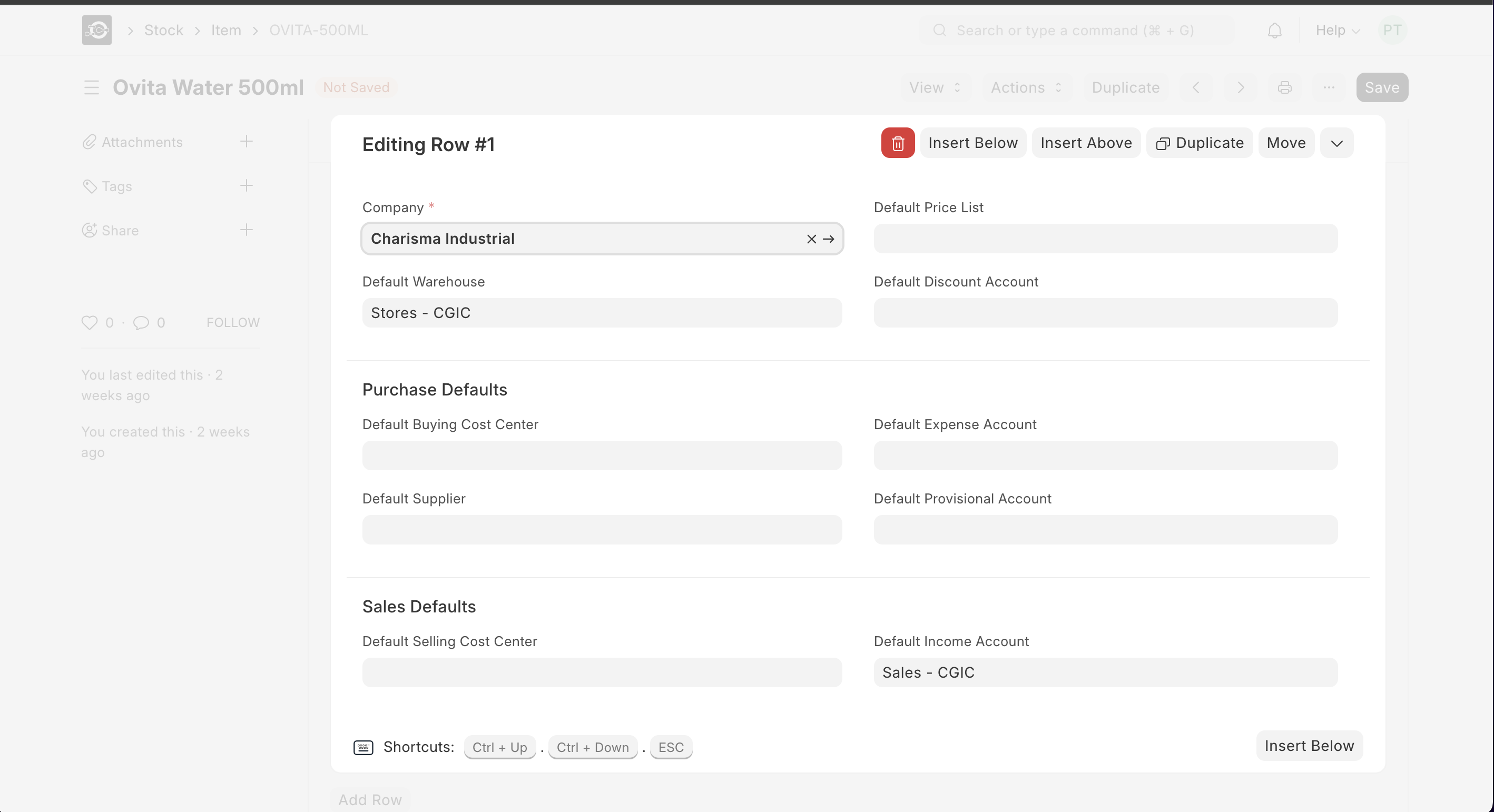
- Save
- Click Save. Future transactions for this item will use these defaults.
2.0 Record Purchase Receipts with Cost
- Create Purchase Receipt
- From a submitted PO, click Create ▶️ Purchase Receipt.
- Verify Basic Rate
- Ensure Basic Rate matches vendor cost.
- Submit
- Click Save and Submit—this books raw material into inventory and posts AP.
3.0 Generate Stock Value Report
- Navigate
- Go to Stock ▶️ Reports ▶️ Stock Value.
- Filter
- Item Group = Raw Materials
- Warehouse (optional)
- Run
- Click Generate New Report to see:
- Qty on Hand × Valuation Rate = Stock Value
- Click Generate New Report to see:
4.0 Review General Ledger Entries
- Open General Ledger
- Accounts ▶️ General Ledger
- Filter
- By Expense Account and Provisional Account used above
- Set your Date Range
- Analyze
- Confirm Purchase Receipt and stock valuation entries are posted correctly
5.0 Inspect COGS in Profit & Loss
- Navigate -
Accounts > Profit and Loss - Filter - Same Date Range as above
- Verify - “COGS – Raw Materials” line matches total consumed raw material costs